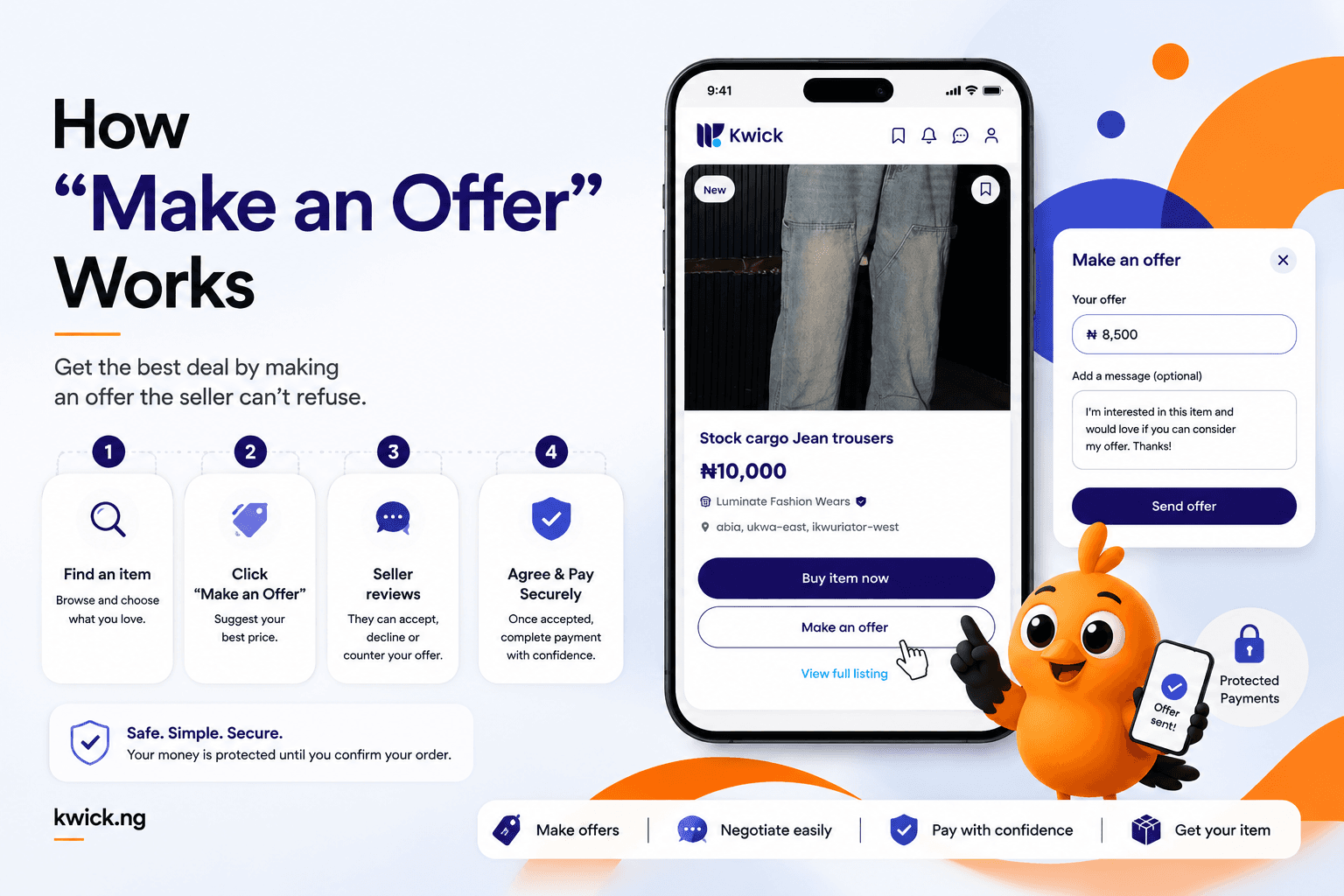
"Make an Offer" lets you propose your own price on an item instead of paying the listed one — the seller can accept, decline, or counter, and once you agree, your payment is protected just like any other order. It's the simplest way to land a better deal on the things you want. Here's how to use it.
What "Make an Offer" is
On many Kwick listings, alongside "Buy item now," you'll see a "Make an Offer" button. Instead of paying the asking price straight away, it lets you tell the seller what you're willing to pay. Think of it as respectful haggling, built right into the app — no awkward back-and-forth in the market, just a clear offer and a clear answer.
How it works, step by step
- Find an item you want and tap Make an Offer.
- Enter your price — a fair figure the seller is likely to consider.
- Send it. The seller receives your offer and can accept, decline, or send a counter-offer.
- Agree on a price. If they accept (or you accept their counter), the deal is set.
- Pay safely. Your payment is protected and held securely until your item reaches you, exactly like a normal purchase.
How to make an offer that gets accepted
A good offer is respectful, not lowball. A few tips:
- Don't go too low. An insulting offer usually gets declined outright. Aim for a price you'd genuinely be happy to pay and the seller could realistically accept.
- Consider the condition. A preloved item priced keenly already has less room to move than one priced high.
- Be ready to meet in the middle. If the seller counters, a small compromise often closes the deal.
- Be polite in any messages. Sellers are more flexible with buyers who are easy to deal with.
Why it's good for buyers and sellers
For buyers, it's a chance to land a better price without leaving the app. For sellers, it's a way to close a sale with a motivated buyer rather than waiting for the perfect full-price one. And because every agreed deal is still covered by protected payments, both sides are safe whatever price you settle on.
Frequently asked questions
How do I make an offer on Kwick? Tap "Make an Offer" on the listing, enter the price you're willing to pay, and send it. The seller can accept, decline, or counter.
Can the seller reject my offer? Yes. Sellers can accept, decline, or send a counter-offer. If they counter, you can accept their price or walk away.
Is my payment still protected if I buy through an offer? Yes. Once you and the seller agree a price, your payment is held securely and released only when your item arrives — the same protection as any Kwick order.
What makes a good offer? A fair, respectful price the seller could realistically accept. Very low offers usually get declined, so aim close to what you'd genuinely pay.
Try it on your next find
Spotted something you love? Don't just pay the sticker price — make an offer and see if you can land it for less, with your payment protected either way.
Find something and make an offer on Kwick today.
Curious how your money stays safe? See our guide to protected payments.